# Default ggplot2 theme
p <- ggplot(mtcars, aes(wt, mpg, color = factor(cyl))) +
  geom_point(size = 3) +
  geom_smooth(method = "lm", se = FALSE) +
  labs(title = "Default theme_gray()",
       x = "Weight (1000 lbs)",
       y = "Miles Per Gallon",
       color = "Cylinders") +
theme(plot.title = element_text(face = "bold"))5 ggplot2 Themes
5.1 Introduction
The default gray background theme in ggplot2 is iconic but completely inappropriate for publication. This chapter shows you the professional themes you should use instead, how to set a global theme for consistency, and which packages provide ready-made publication-quality themes.
Learning Objectives
By the end of this chapter, you will:
- Understand why
theme_gray()is unsuitable for publications - Know the best built-in themes:
theme_classic(),theme_bw(),theme_minimal() - Learn to set a global theme with
theme_set() - Discover publication-ready themes from
hrbrthemesandggthemes - Know how to combine multiple plots with
patchworkandggpubr - Be able to match your target journal’s style
5.2 The Default Problem
`geom_smooth()` using formula = 'y ~ x'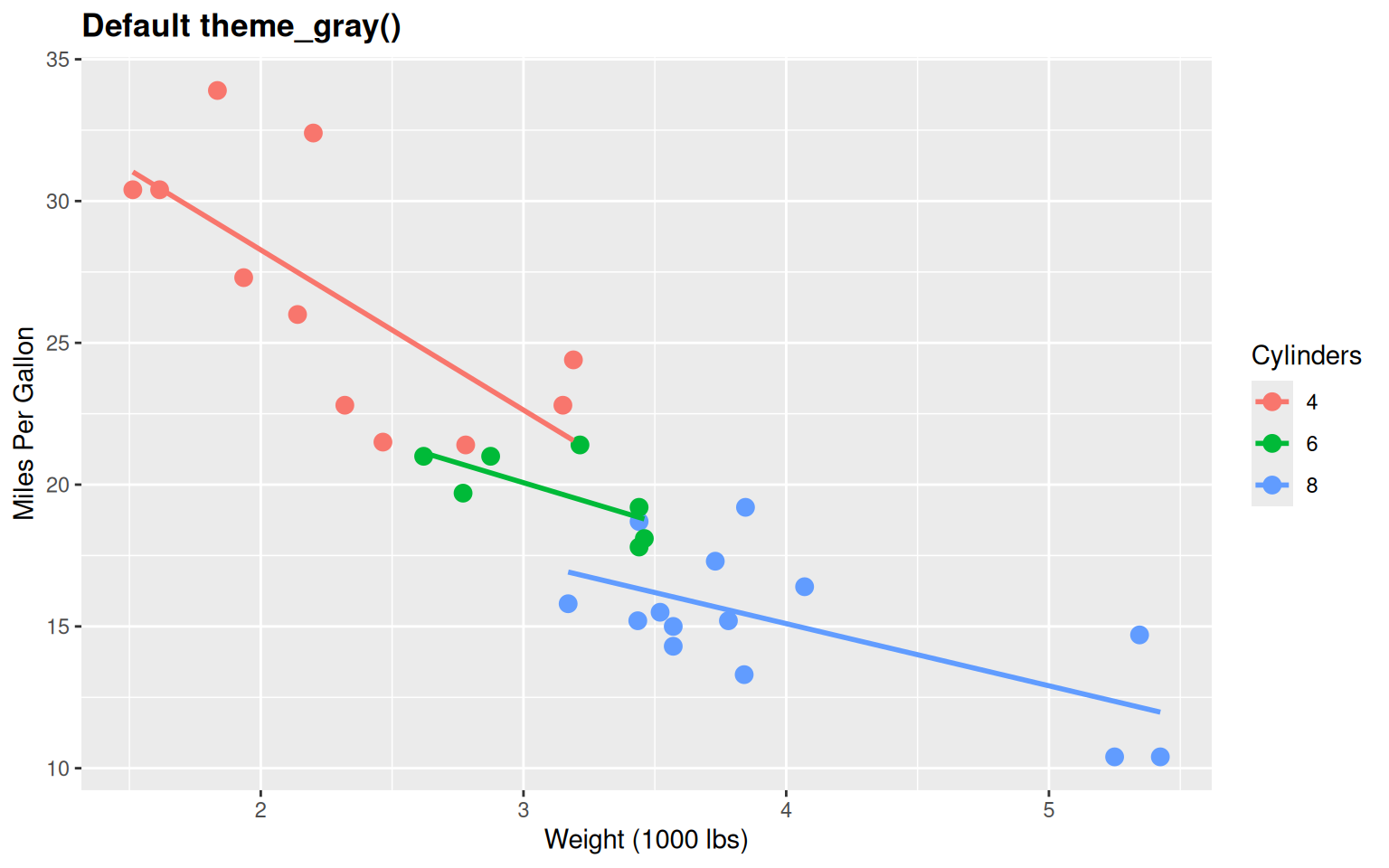
Problems:
- Gray background (wastes ink, unprofessional)
- Too much “chart junk”
- Not publication-ready
5.3 Built-in Theme: theme_bw()
p <- ggplot(mtcars, aes(wt, mpg, color = factor(cyl))) +
  geom_point(size = 3) +
  geom_smooth(method = "lm", se = FALSE) +
  labs(title = "theme_bw() - White background, black border",
       x = "Weight (1000 lbs)",
       y = "Miles Per Gallon",
       color = "Cylinders") +
  theme_bw() +
  theme(plot.title = element_text(face = "bold"))
`geom_smooth()` using formula = 'y ~ x'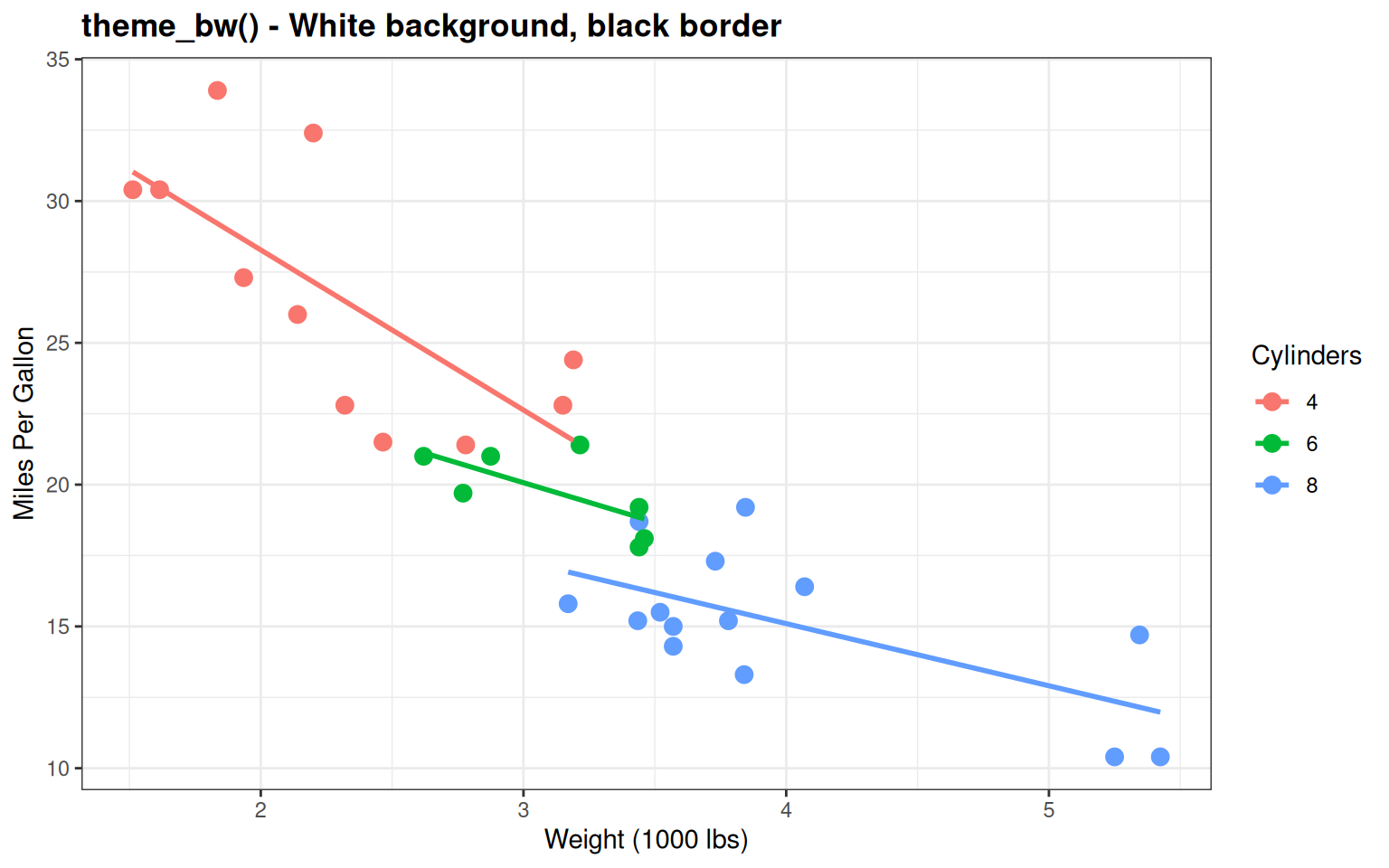
Good for publications - Clean with reference gridlines
5.4 Built-in Theme: theme_classic()
p <- ggplot(mtcars, aes(wt, mpg, color = factor(cyl))) +
  geom_point(size = 3) +
  geom_smooth(method = "lm", se = FALSE) +
  labs(title = "theme_classic() - No gridlines, clean axes",
       x = "Weight (1000 lbs)",
       y = "Miles Per Gallon",
       color = "Cylinders") +
  theme_classic() +
  theme(plot.title = element_text(face = "bold"))
`geom_smooth()` using formula = 'y ~ x'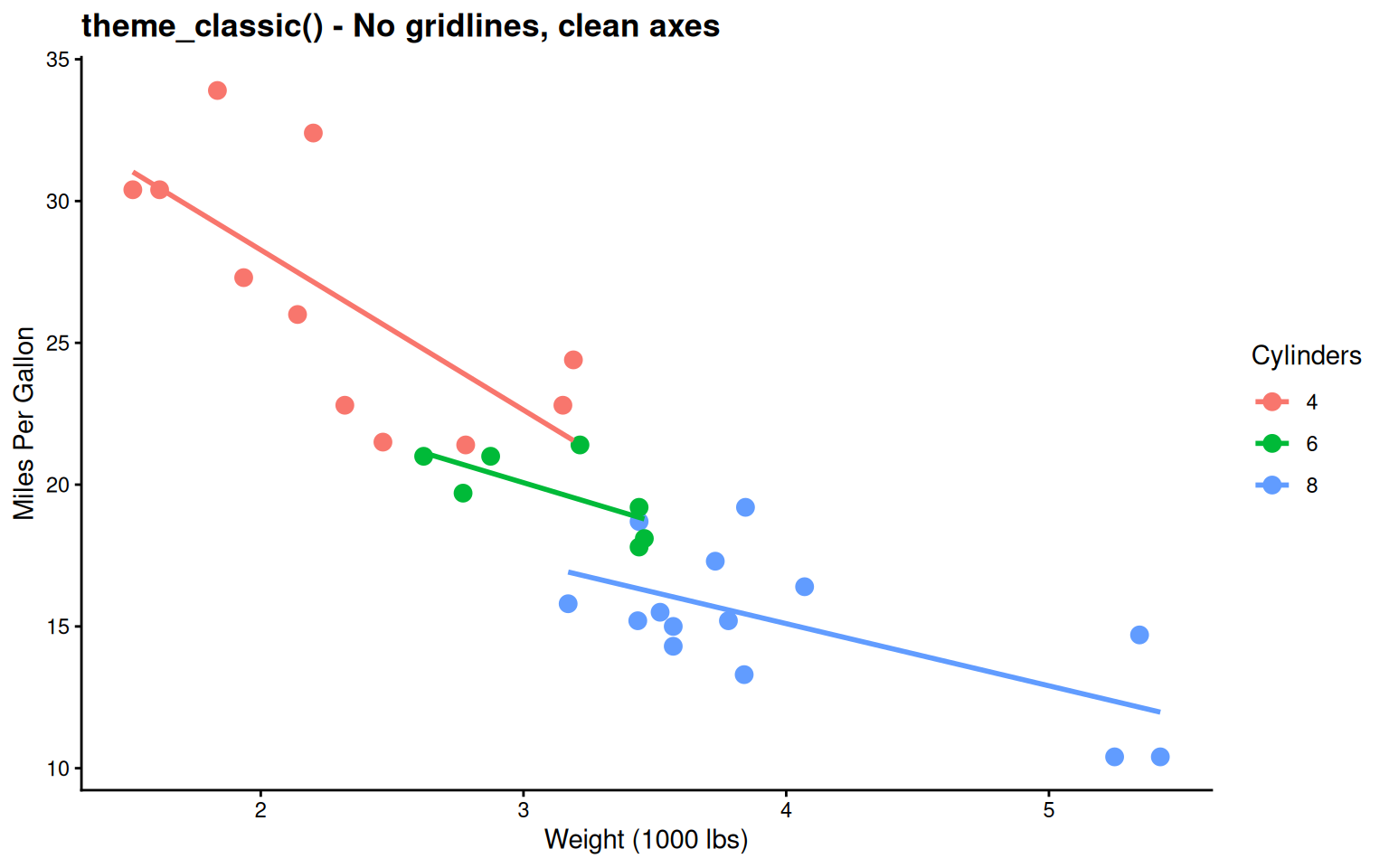
Very minimal - Traditional journal style
5.5 Built-in Theme: theme_minimal()
p <- ggplot(mtcars, aes(wt, mpg, color = factor(cyl))) +
  geom_point(size = 3) +
  geom_smooth(method = "lm", se = FALSE) +
  labs(title = "theme_minimal() - Subtle gridlines, modern",
       x = "Weight (1000 lbs)",
       y = "Miles Per Gallon",
       color = "Cylinders") +
  theme_minimal() +
  theme(plot.title = element_text(face = "bold"))
`geom_smooth()` using formula = 'y ~ x'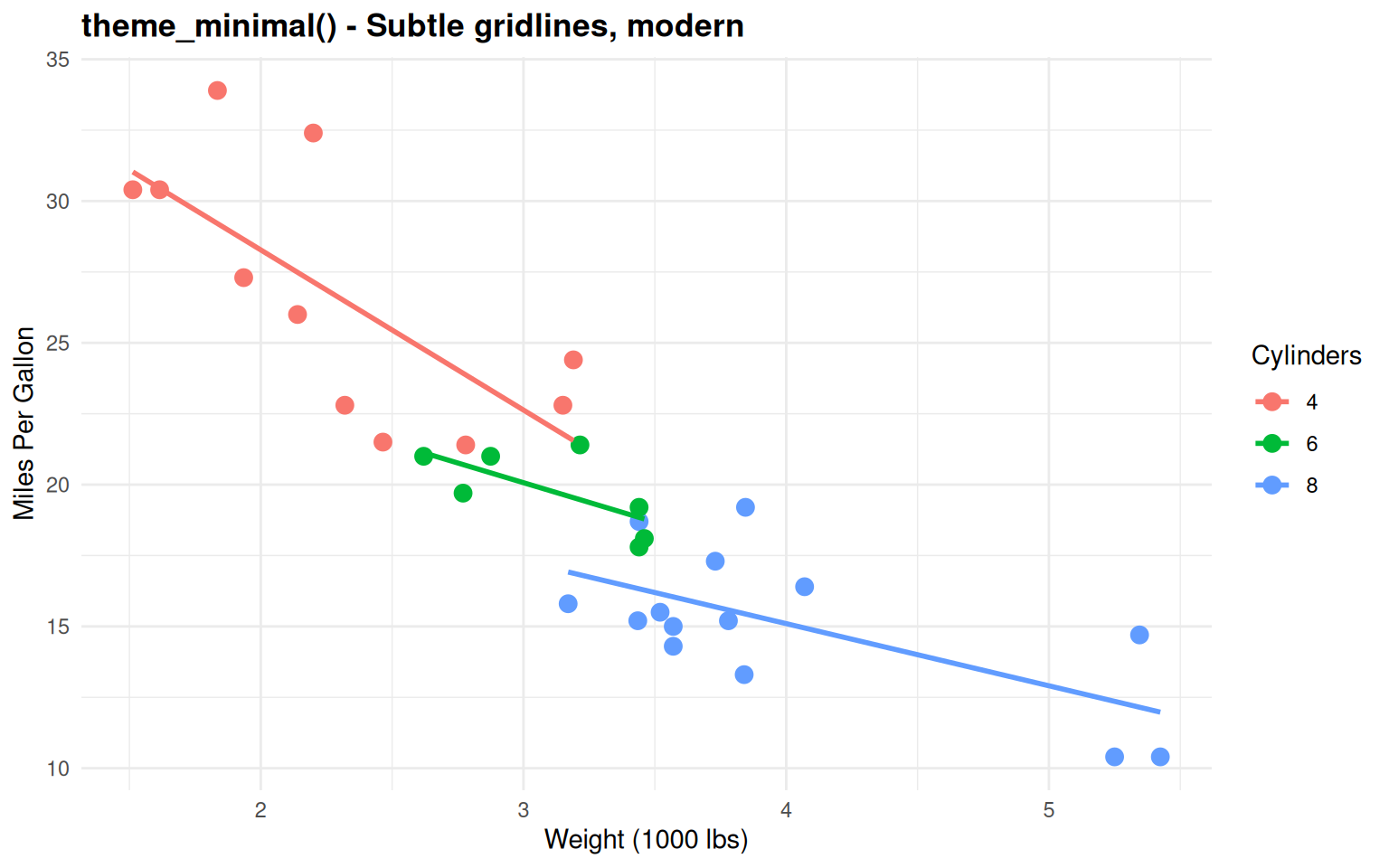
Good balance - Clean with subtle reference lines
5.6 Built-in Theme: theme_void()
p <- ggplot(mtcars, aes(wt, mpg, color = factor(cyl))) +
  geom_point(size = 3) +
  labs(title = "theme_void() - Blank canvas") +
  theme_void() +
  theme(plot.title = element_text(face = "bold", hjust = 0.5),
        legend.position = "right")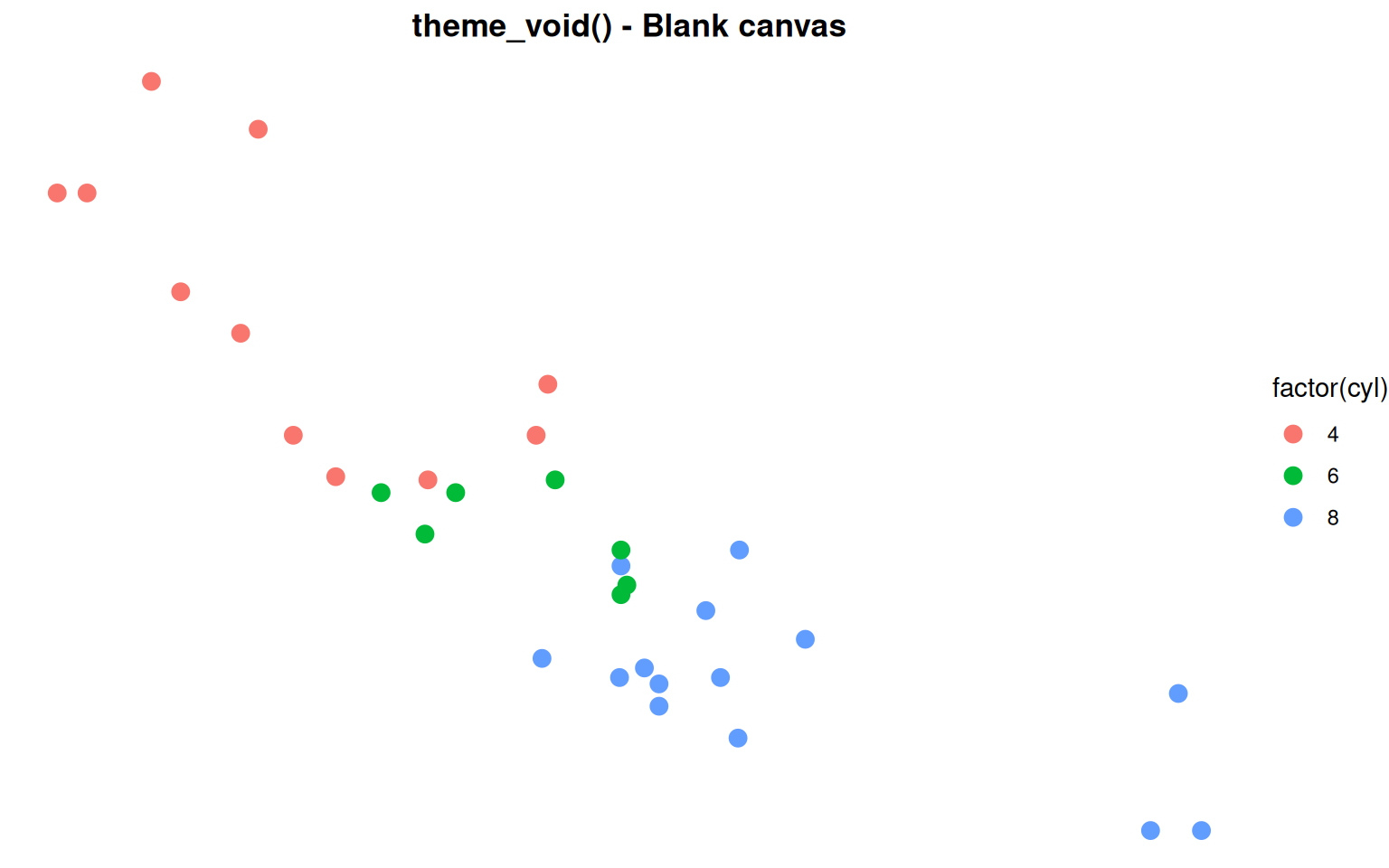
For custom designs - Maps, minimalist graphics
5.7 Side-by-Side Comparison
`geom_smooth()` using formula = 'y ~ x'
`geom_smooth()` using formula = 'y ~ x'
`geom_smooth()` using formula = 'y ~ x'
`geom_smooth()` using formula = 'y ~ x'
`geom_smooth()` using formula = 'y ~ x'
`geom_smooth()` using formula = 'y ~ x'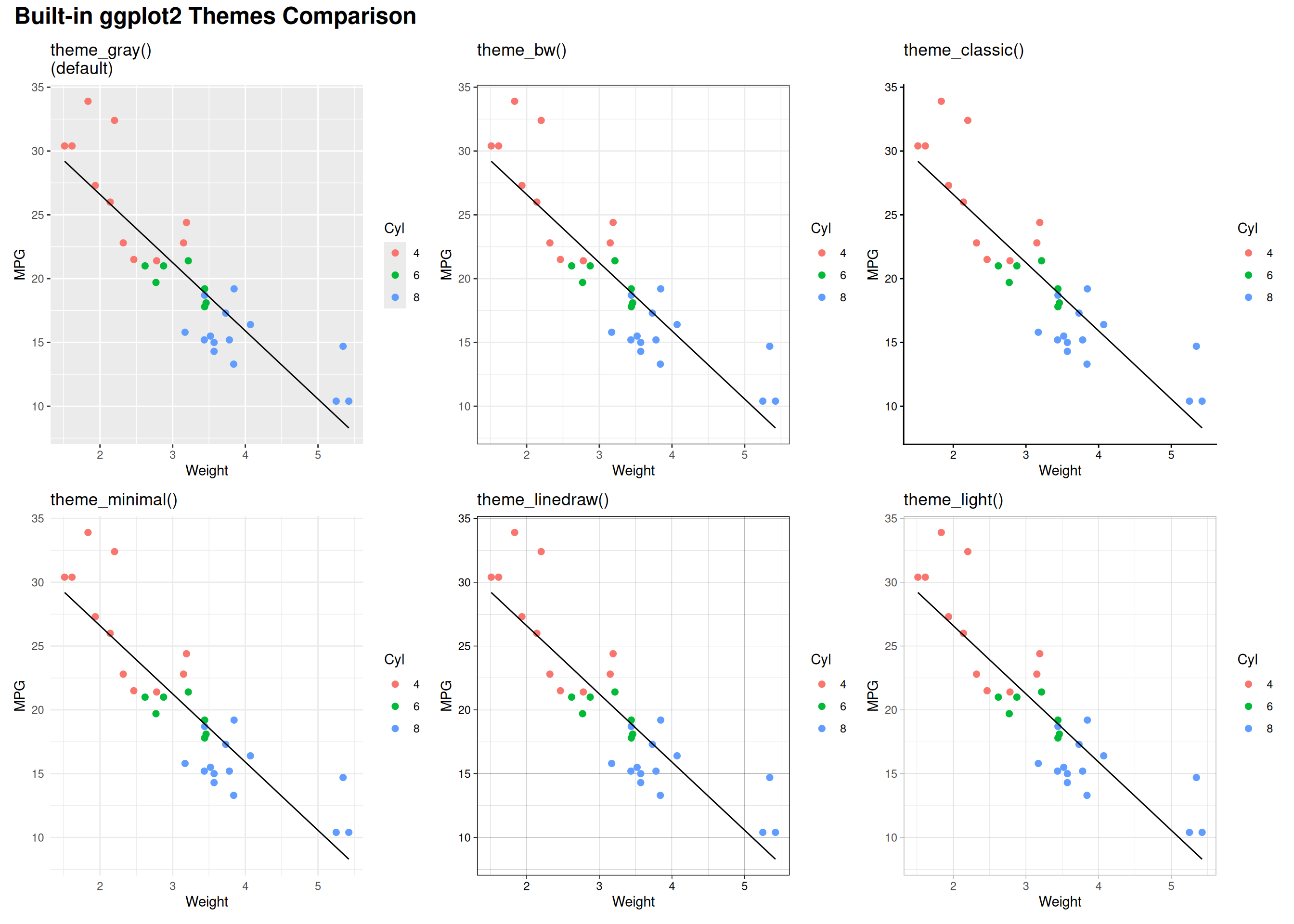
5.8 Publication Package: ggpubr
# ggpubr - publication-ready themes and statistical annotations
# install.packages("ggpubr")

ggplot(mtcars, aes(x = factor(cyl), y = mpg)) +
  geom_boxplot(aes(fill = factor(cyl)), alpha = 0.7) +
  geom_jitter(width = 0.2, alpha = 0.5) +
  labs(title = "ggpubr - Publication ready with stats",
       x = "Cylinders",
       y = "Miles Per Gallon") +
  theme_pubr() +
  theme(legend.position = "none",
        plot.title = element_text(face = "bold")) +
  scale_fill_brewer(palette = "Set2")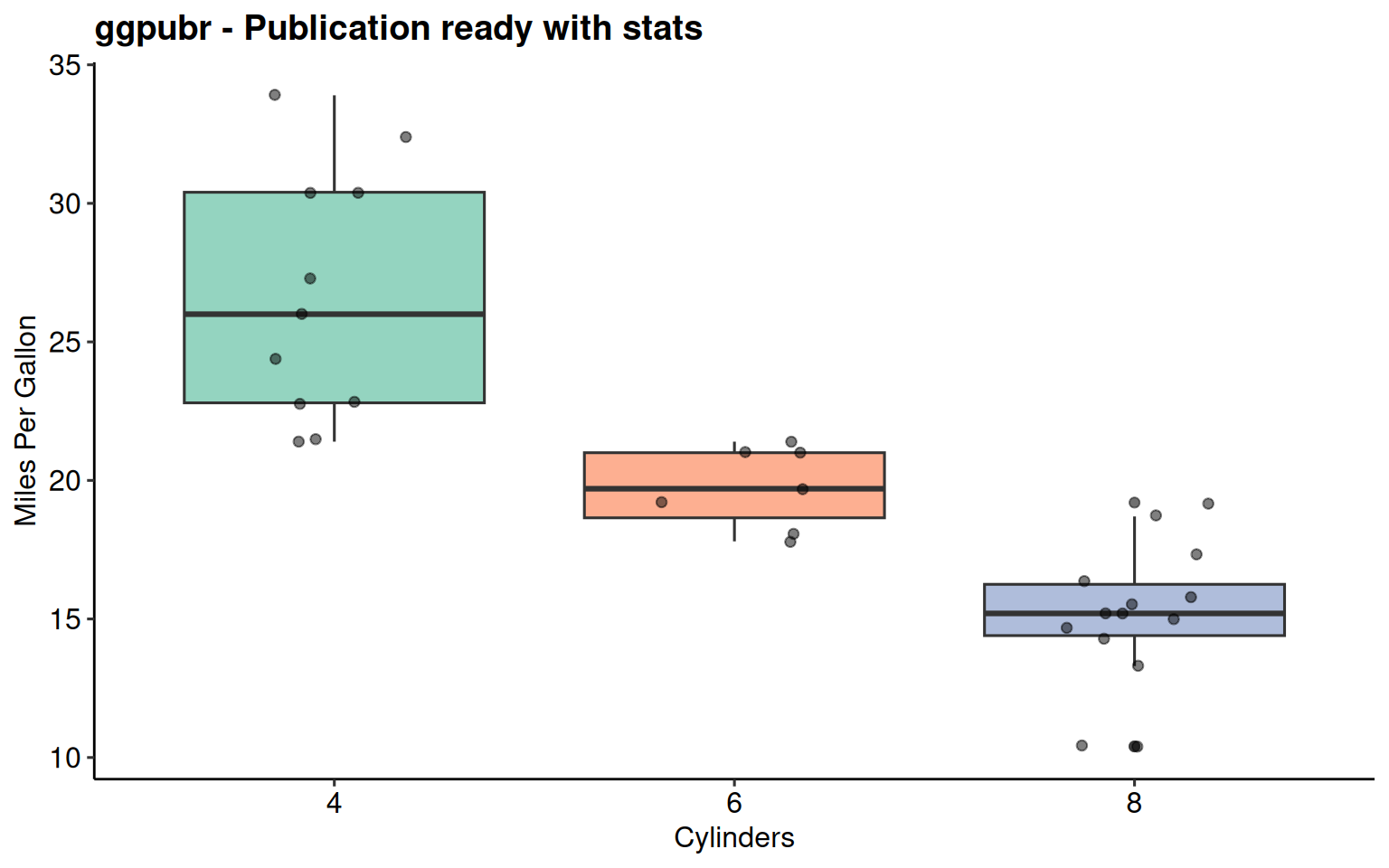
ggpubr Package
Publication-ready themes + statistical annotations
theme_pubr()- Clean publication themetheme_pubclean()- Even more minimalstat_regline_equation()- Automatic regression equationsstat_cor()- Correlation statisticsstat_compare_means()- p-values and significance brackets
5.9 ggpubr: Adding Regression Equations
library(ggpubr)

p <- ggplot(mtcars, aes(x = wt, y = mpg)) +
  geom_point(size = 3, color = "steelblue") +
  geom_smooth(method = "lm", se = TRUE,
              color = "darkred", formula = y ~ x) +

      stat_regline_equation(
      aes(label = after_stat(eq.label)),
      formula = y ~ x,
      label.x.npc = 0.95,  # 95% to the right (relative)
      label.y.npc = 0.95,  # 95% to the top (relative)
      hjust = 1            # right-align text
    ) +
    stat_cor(
      aes(label = paste(after_stat(rr.label), after_stat(p.label), sep = "~~~~")),
      label.x.npc = 0.95, label.y.npc = 0.88, hjust = 1
    ) +

  labs(title = "Linear Regression with Equation",
       x = "Weight (1000 lbs)",
       y = "Miles Per Gallon") +
  theme_pubr()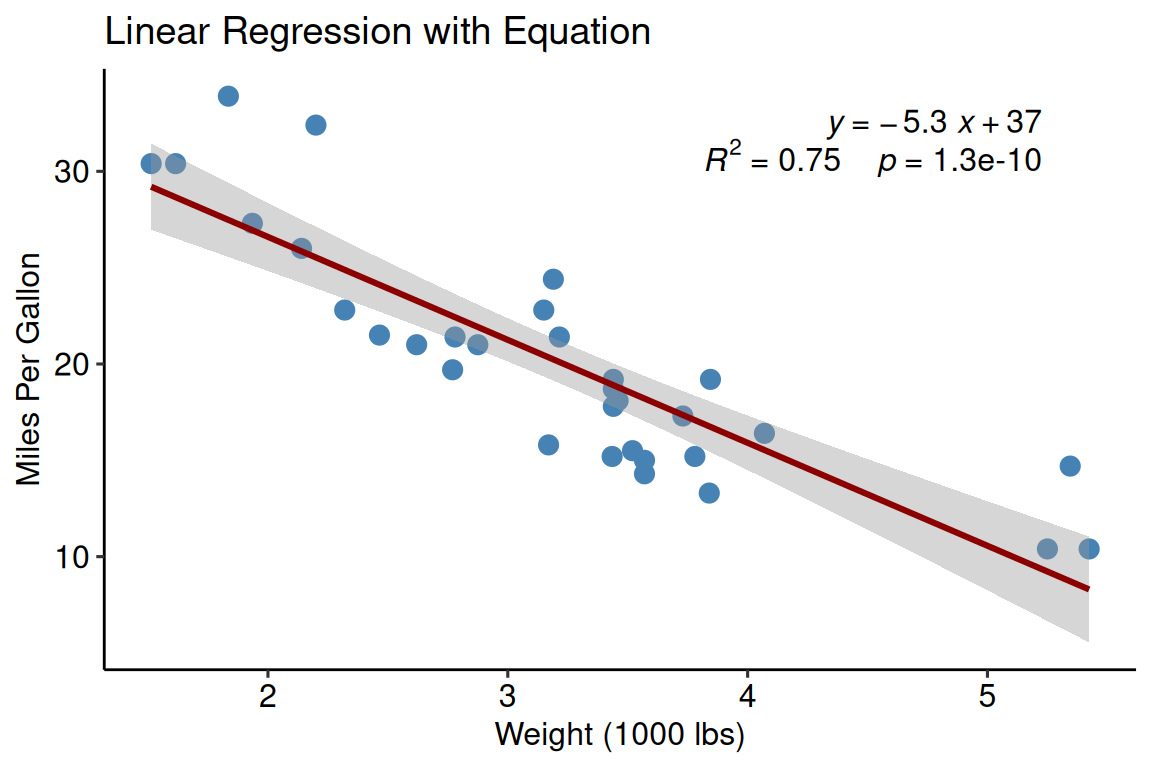
Key function: stat_regline_equation()
- Automatically calculates and displays equation
- Shows R² value
- Customizable position and formatting
- Works with facets
5.10 ggpubr: Pairwise Comparisons
# Automatically generate all pairwise comparisons
dose_levels <- levels(factor(ToothGrowth$dose))
my_comparisons <- combn(dose_levels, 2, simplify = FALSE)

p <- ggboxplot(ToothGrowth,
               x = "dose", y = "len", color = "dose", palette = "jco") +
  stat_compare_means(
                      comparisons = my_comparisons,
                      method = "t.test",
                      p.adjust.method = "BH"  # Benjamini-Hochberg (FDR) correction
                    ) +
  stat_compare_means(
                      method = "anova",
                      label.y = 50
                    ) +
  labs(title = "Pairwise Comparisons with Multiple Testing Correction",
       x = "Dose (mg/day)",
       y = "Tooth Length")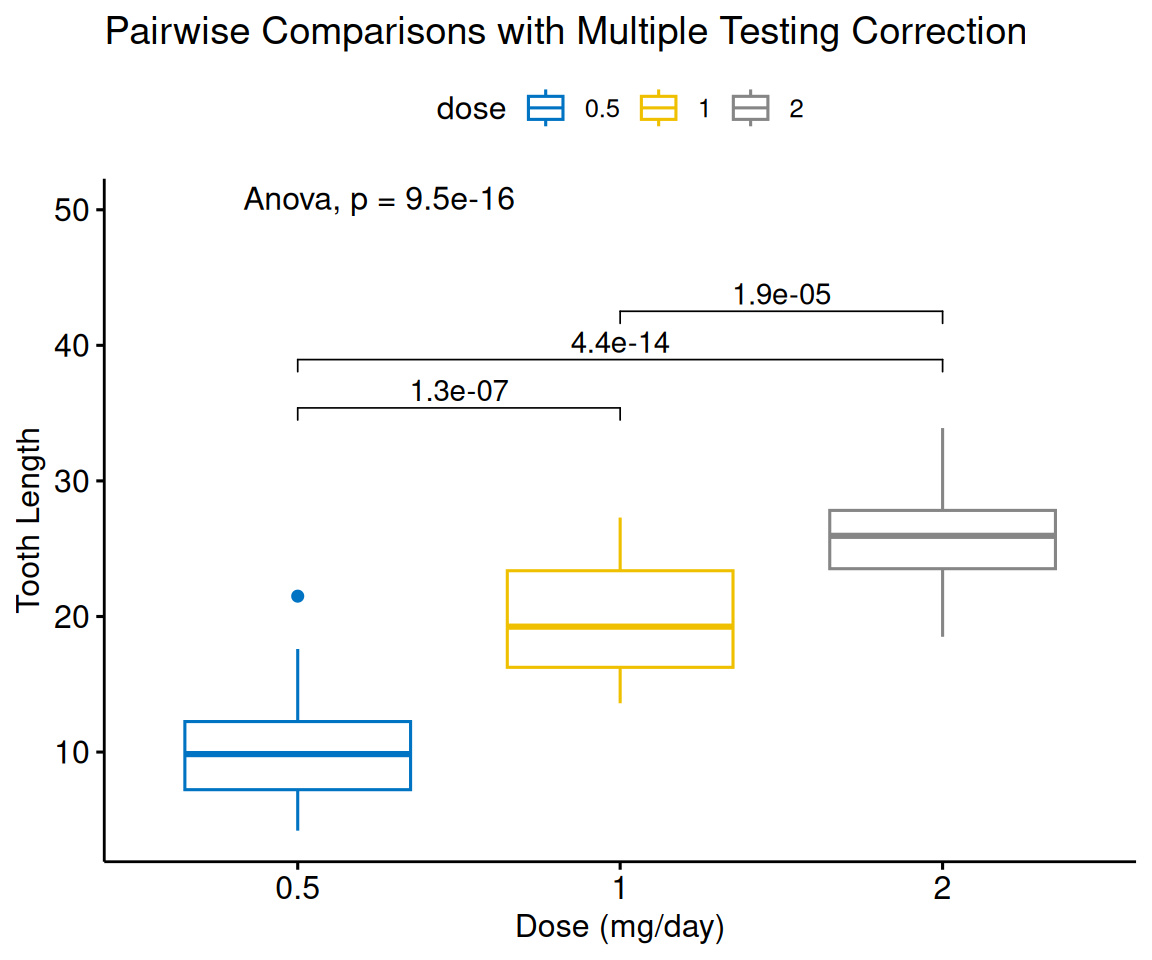
combn(levels, 2)generates all pairs automaticallymethod = "t.test"for pairwise tests (ormethod = "tukey_hsd"for Tukey’s HSD)p.adjust.method = "BH"for multiple testing correction (“holm”, “bonferroni”, “hochberg”, “BY”, “fdr”)method = "anova"for overall test- Automatic significance brackets
5.11 Modern Typography: hrbrthemes
ggplot(mtcars, aes(wt, mpg, color = factor(cyl))) +
  geom_point(size = 3) +
  geom_smooth(method = "lm", se = FALSE, formula = y ~ x) +
  facet_wrap(~gear, labeller = label_both) +
  labs(title = "hrbrthemes::theme_ipsum() - Modern typography",
       subtitle = "Clean, professional, with excellent fonts and facets",
       x = "Weight (1000 lbs)",
       y = "Miles Per Gallon",
       color = "Cylinders") +
  theme_ipsum() +
  scale_color_ipsum()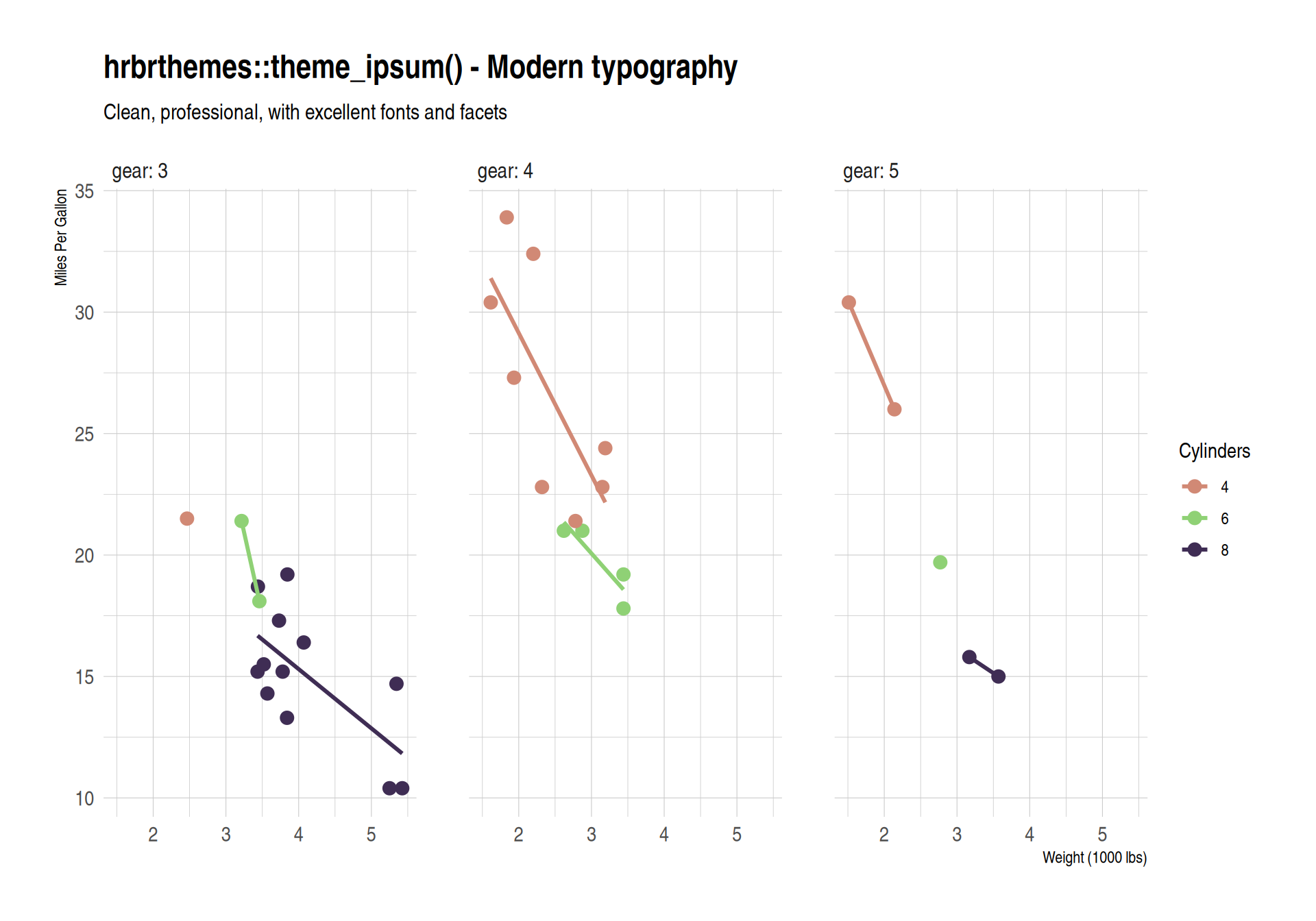
hrbrthemes Package
Modern professional typography
- Uses high-quality fonts (requires font installation)
theme_ipsum()- Modern, clean, professionaltheme_ipsum_rc()- Roboto Condensed font- Excellent for presentations and reports
- Works beautifully with facets
- May require:
extrafont::font_import()
5.12 Specialized Themes: ggthemes
Warning: The `size` argument of `element_line()` is deprecated as of ggplot2 3.4.0.
ℹ Please use the `linewidth` argument instead.
ℹ The deprecated feature was likely used in the ggthemes package.
  Please report the issue at <https://github.com/jrnold/ggthemes/issues>.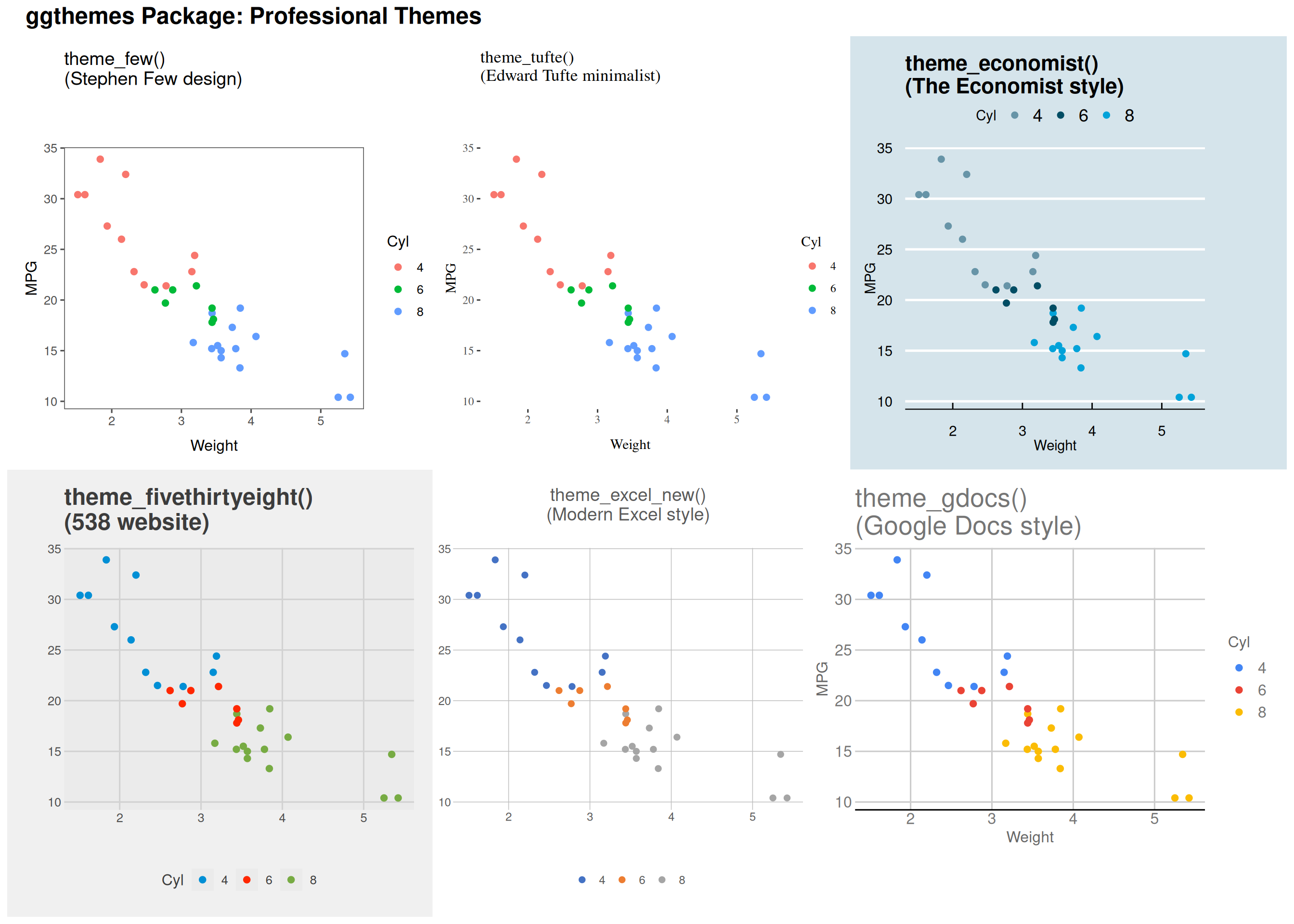
5.13 Setting Global Theme
Set once, apply to all plots:
# At top of script
theme_set(theme_bw(base_size = 12))

# Now all plots use theme_bw
# automatically
p1 <- ggplot(mtcars, aes(wt, mpg)) +
  geom_point() +
  labs(title = "Plot 1")

p2 <- ggplot(iris, aes(Sepal.Length, Sepal.Width)) +
  geom_point(aes(color = Species)) +
  labs(title = "Plot 2")

p3 <- ggplot(faithful, aes(eruptions)) +
  geom_histogram(bins = 30, fill = "steelblue") +
  labs(title = "Plot 3")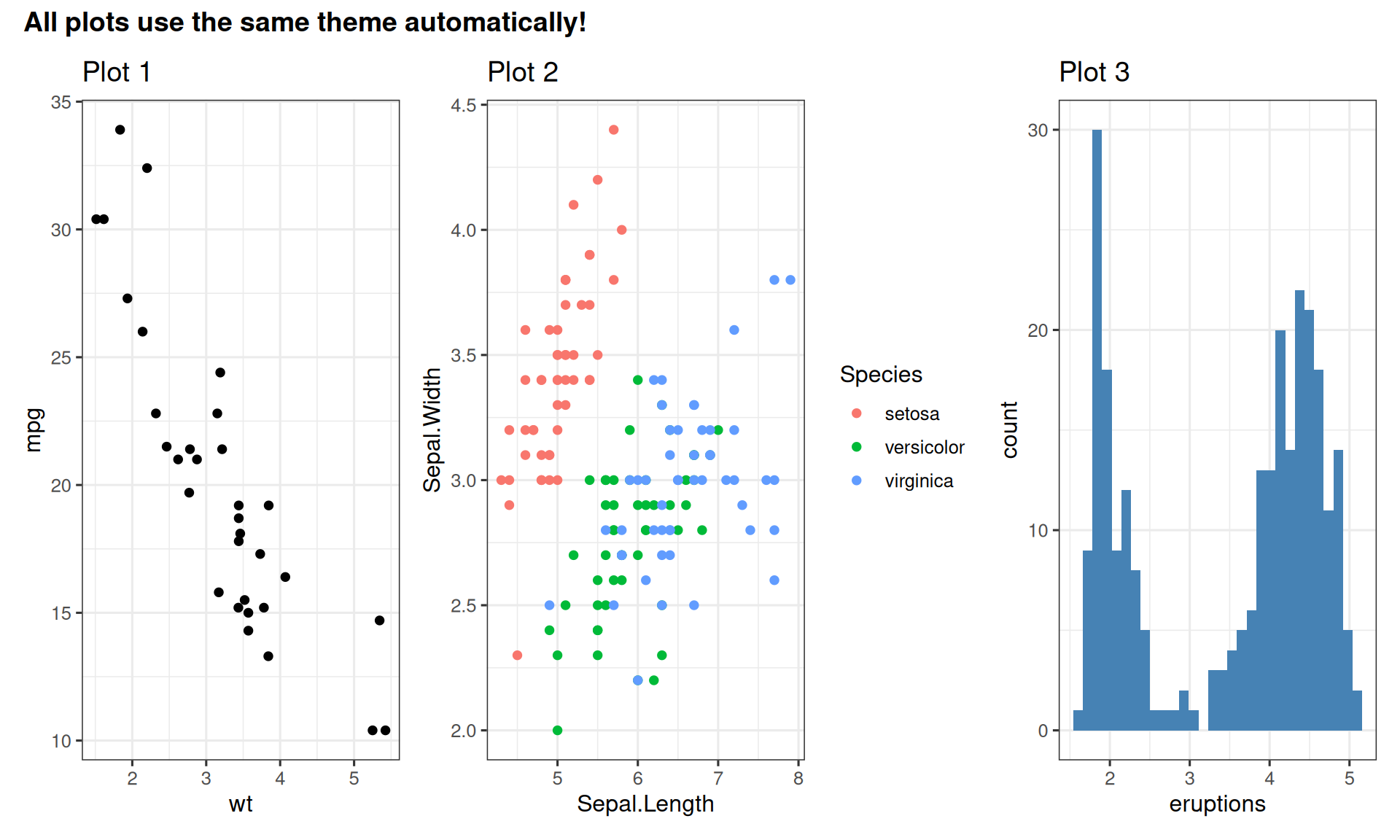
5.14 Font Considerations
# Check available fonts
# library(extrafont)
font_import()  # First time only (takes a while)
fonts()        # List available fonts

# Use in theme
theme_classic(base_family = "Arial") +
  theme(
    plot.title = element_text(family = "Arial", face = "bold"),
    axis.title = element_text(family = "Arial")
  )
Font Preferences by Journal
Many journals prefer specific fonts:
- Arial - Most common, widely accepted
- Helvetica - Classic choice
- Times New Roman - Traditional journals
- Calibri - Modern alternative
Check journal author guidelines!
5.15 Theme Elements You Can Customize
p <- ggplot(mtcars, aes(x = factor(cyl), y = mpg, fill = factor(cyl))) +
  geom_boxplot(alpha = 0.7) +
  facet_wrap(~gear, labeller = label_both) +
  labs(title = "Customized Theme Elements",
       x = "Cylinders",
       y = "Miles Per Gallon",
       fill = "Cylinders") +
  theme_minimal() +
  theme(
    # Axis elements
    axis.title = element_text(size = 12, face = "bold", color = "navy"),
    axis.text = element_text(size = 10, color = "gray30"),
    # Legend
    legend.position = "bottom",
    legend.title = element_text(face = "bold"),
    legend.background = element_rect(fill = "gray95", color = "gray50"),
    # Panel
    panel.grid.major = element_line(color = "gray80", linewidth = 0.3),
    panel.grid.minor = element_blank(),
    panel.background = element_rect(fill = "white"),
    # Facet strips
    strip.background = element_rect(fill = "steelblue", color = "navy"),
    strip.text = element_text(color = "white", face = "bold", size = 11),
    # Plot
    plot.title = element_text(size = 16, face = "bold", hjust = 0.5),
    plot.background = element_rect(fill = "white", color = NA)
  ) +
  scale_fill_brewer(palette = "Set2")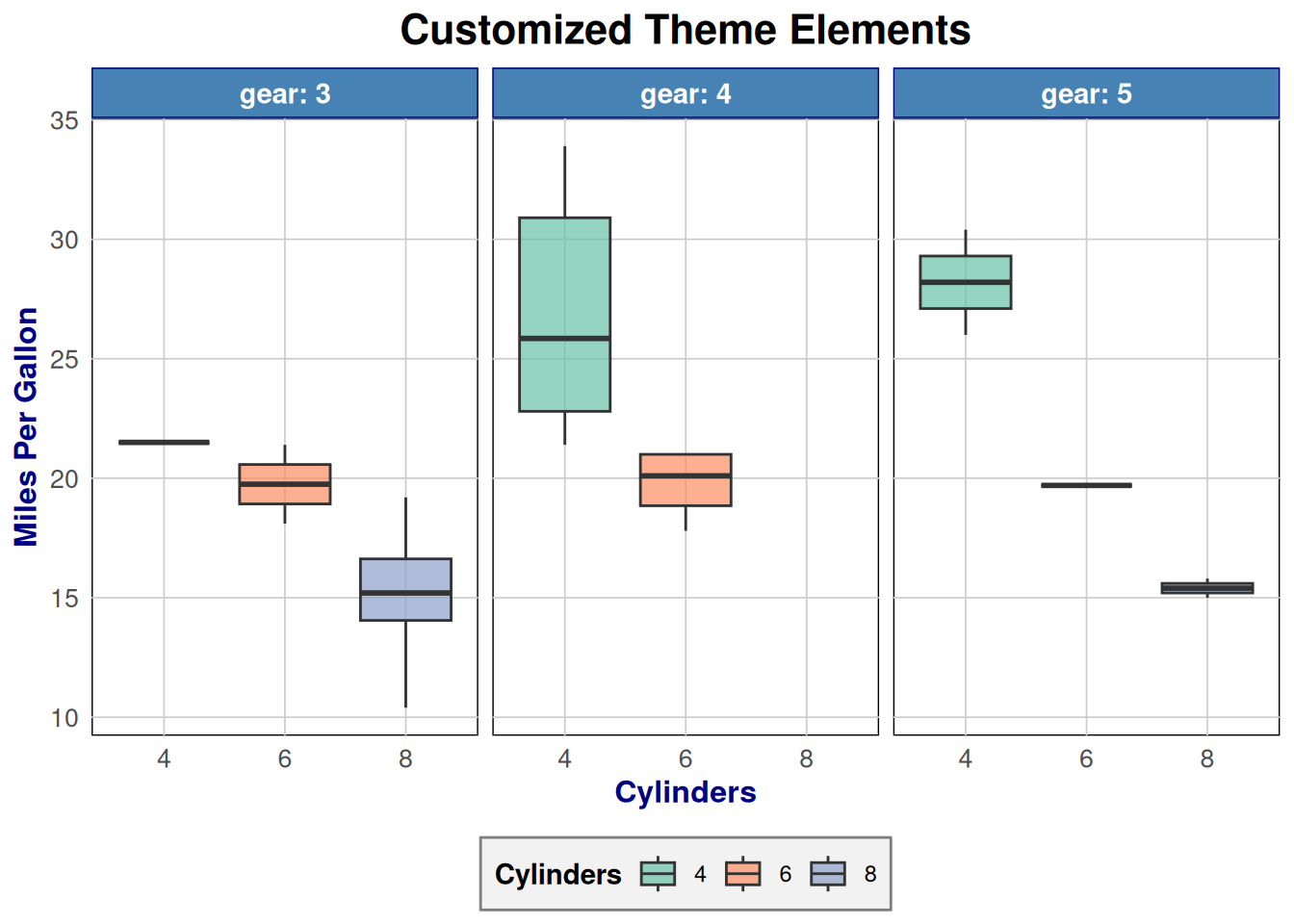
Customizable elements:
axis.title,axis.text- Axis labelslegend.position- “top”, “bottom”, “left”, “right”, “none”panel.grid- Gridlinesplot.background,panel.background- Backgroundsstrip.background,strip.text- Facet labels
5.16 Recommendations
Best Practices
- Never use default
theme_gray()for publications- Gray background wastes ink and looks unprofessional
- Set global theme at start of script for consistency
theme_set(theme_classic())applies to all subsequent plots
- Match journal style - check published figures
- Look at recent issues of your target journal
- Note font choices, gridline presence, color schemes
- Keep it simple - less chart junk = better
- Remove unnecessary gridlines
- Minimize non-data ink
- Use publication packages for multi-panel figures
patchworkfor intuitive combining syntaxggpubr::ggarrange()for automatic labeling
5.17 Summary
Key Takeaways
- Never use
theme_gray()for publications - gray background wastes ink - Best built-in themes:
theme_classic()- clean, no gridlines (recommended for most cases)theme_bw()- white background with gridlinestheme_minimal()- minimal gridlines, modern look
- Set global theme:
theme_set(theme_classic())for consistency across all plots - Publication-ready packages:
hrbrthemes- modern, professional themesggthemes- journal-specific themes (e.g.,theme_economist())
- Multi-panel combining:
patchwork: intuitive+and/syntaxggpubr::ggarrange(): automatic panel labeling (A, B, C)
- Match your journal - check published figures for style guidance
- Consistency is key - use the same theme throughout your manuscript
5.18 Exercises
Try It Yourself
Create a plot and compare all built-in themes:
p <- ggplot(mtcars, aes(mpg, hp)) + geom_point()
p + theme_gray()      # default
p + theme_classic()   # recommended
p + theme_bw()
p + theme_minimal()
p + theme_void()
Set a global theme and create 3 different plots - notice they all inherit the theme
Install
hrbrthemesand trytheme_ipsum()Combine 4 plots using
patchwork:(p1 + p2) / (p3 + p4) + plot_annotation(tag_levels = 'A')Look at 3 recent papers in your target journal - which theme do they use?
5.19 Further Reading
- ggplot2 themes gallery - all built-in themes
- hrbrthemes package - modern themes with proper fonts
- patchwork guide - comprehensive combining tutorial
- ggthemes package - journal-specific themes
- Wilke (2019) - Chapter 22 on choosing themes