7  Post-Export Editing

7.1 Introduction

While everything should ideally be done in code for reproducibility, sometimes you need to edit exported figures manually—for example, to combine plots with photographs, add custom annotations, or achieve pixel-perfect alignment for publication. This chapter shows you the right tools and workflow for post-export editing while maintaining as much reproducibility as possible.

Learning Objectives

By the end of this chapter, you will:

  • Understand when post-export editing is appropriate vs. avoidable
  • Know the best vector editing tools (Inkscape, Illustrator, Affinity Designer)
  • Learn proper workflow for maintaining reproducibility
  • Be able to edit PDFs and SVGs without quality loss
  • Know common pitfalls (converting text to paths, rasterizing vectors)
  • Understand when to use R code vs. manual editing

7.2 Why Edit After Export?

Legitimate uses:

  • Combine multiple plots into multi-panel figures (A, B, C labels)
  • Fine-tune alignment and spacing
  • Add annotations, arrows, or highlights
  • Adjust layout without re-running analysis

7.3 Vector Editing Tools

Inkscape

  • Free & open source
  • Native SVG format
  • Excellent PDF import
  • Cross-platform
  • Full-featured vector editor
  • Converts between vector formats
  • Slow…

Other options:

  • Adobe Illustrator: Industry standard (commercial)
  • PowerPoint: Can edit SVG as vector format
⚠️ Avoid Raster Editors!

DO NOT use Photoshop, GIMP, or other raster editors for plots!

  • These convert your plots to pixels (rasterization)
  • You lose scalability and editability
  • Text becomes uneditable
  • Quality degrades when resized

Keep it vector! Use Inkscape, Illustrator, or PowerPoint with SVG input and PDF output.

7.4 Inkscape Basics

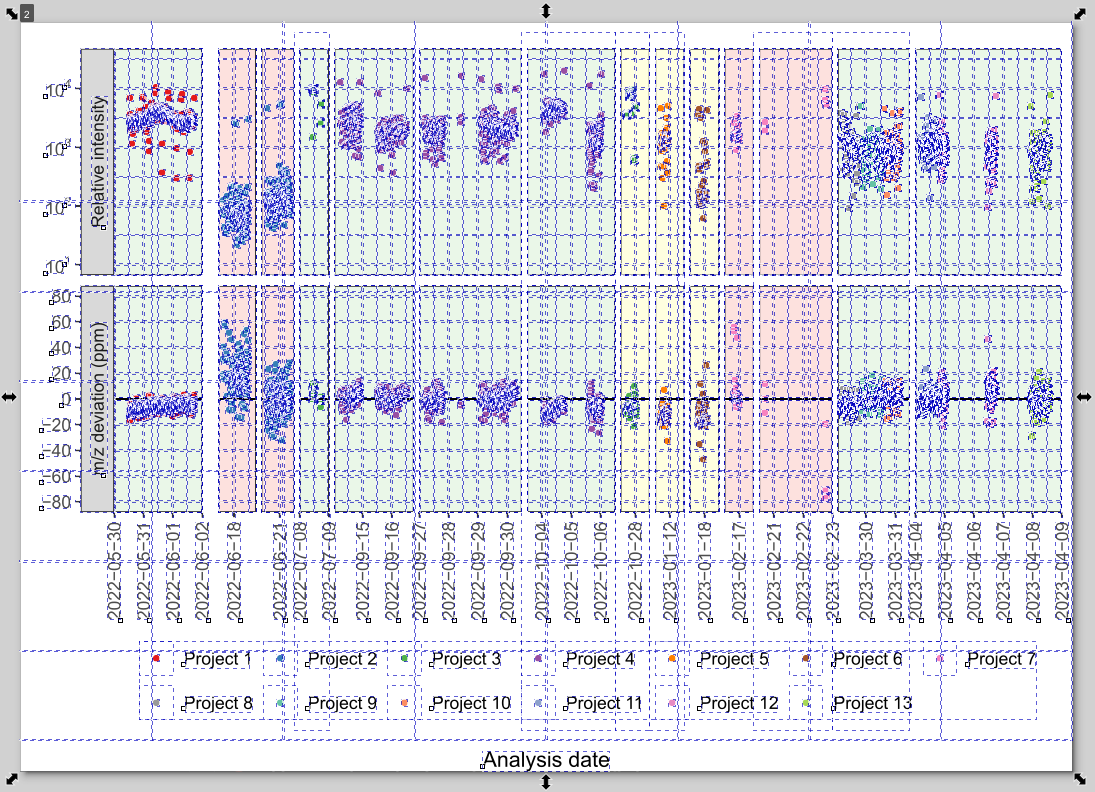
Opening PDFs/SVGs:

  1. File → Open → Select PDF or SVG
  2. Each plot element is now editable

Useful tools:

  • Selection tool (F1): Move and resize
  • Text tool (F8): Edit or add text
  • Align and Distribute (Ctrl+Shift+A)
  • Guides (drag from rulers): Align elements precisely

Tips:

  • Group related elements (Ctrl+G)
  • Lock layers to prevent accidental edits
  • Use layers for complex figures

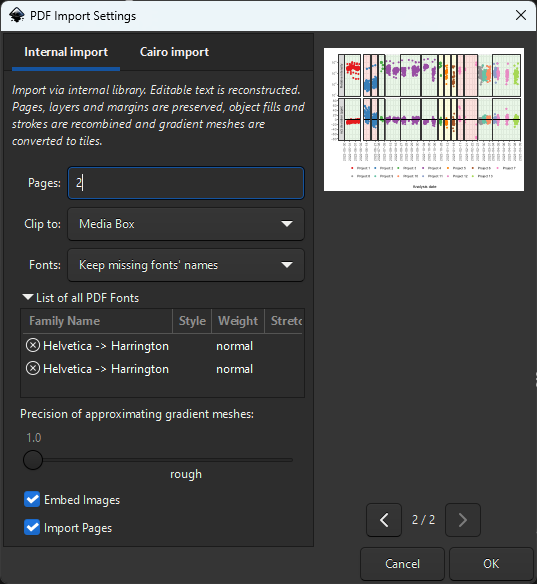
Handling Missing Fonts:

Keep the font names! Don’t substitute - preserves original font info and prevents text reflow issues

7.5 Cropping Canvas to Remove Whitespace

The Page Tool approach:

  1. Select the objects you want to keep (or Select All (Ctrl+A))
  2. Use Edit → Resize Page to Selection (or Ctrl+Shift+R)
  3. This resizes the canvas to fit your selection

Hidden Objects from R Plots!

R exports contain many invisible/empty objects that prevent proper cropping!

The frustrating whack-a-mole:

  • Press Ctrl+A (Select All) to reveal hidden objects
  • You’ll see many white/empty rectangles
  • Delete these empty objects first before resizing page
  • Otherwise canvas includes invisible whitespace

Why clipping doesn’t work:

  • Object → Clip → Set can destroy plot elements
  • Don’t use clipping - delete empty objects instead

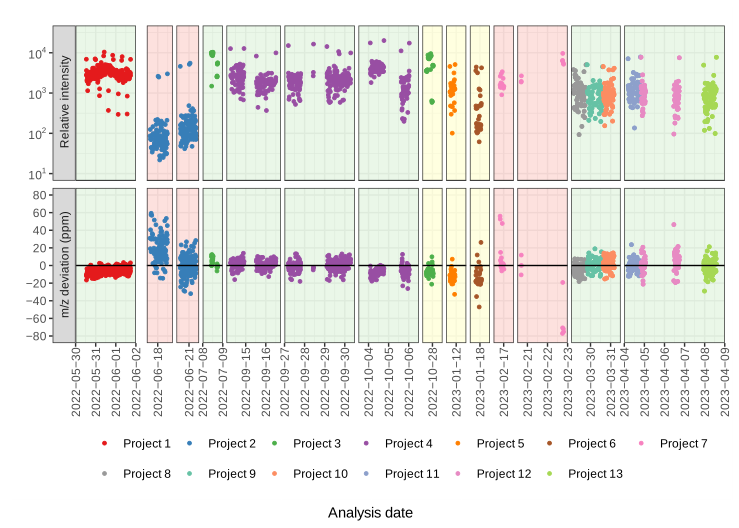
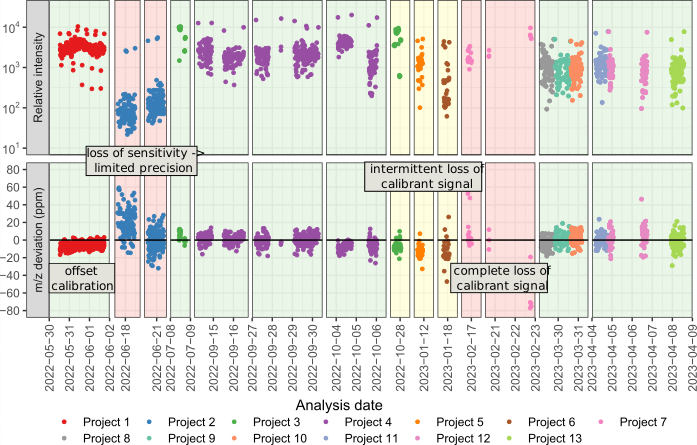
7.6 Example: Before and After Editing

Original R output

After editing in Inkscape

Changes made:

  • Cropped whitespace
  • Added annotations
  • Made legend more compact

8 Combine figures directly in R instead

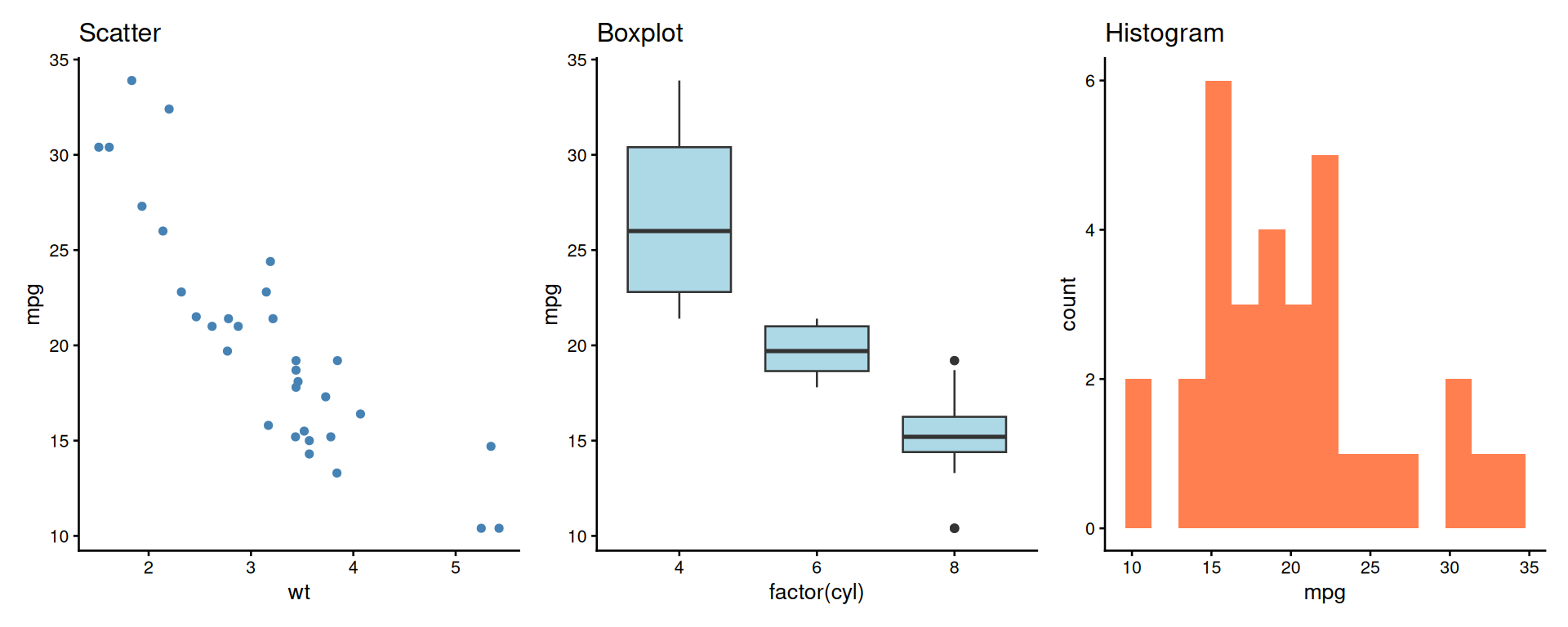
8.1 patchwork: Side by Side

A better alternative to manual composition!

library(patchwork)

p1 | p2 | p3
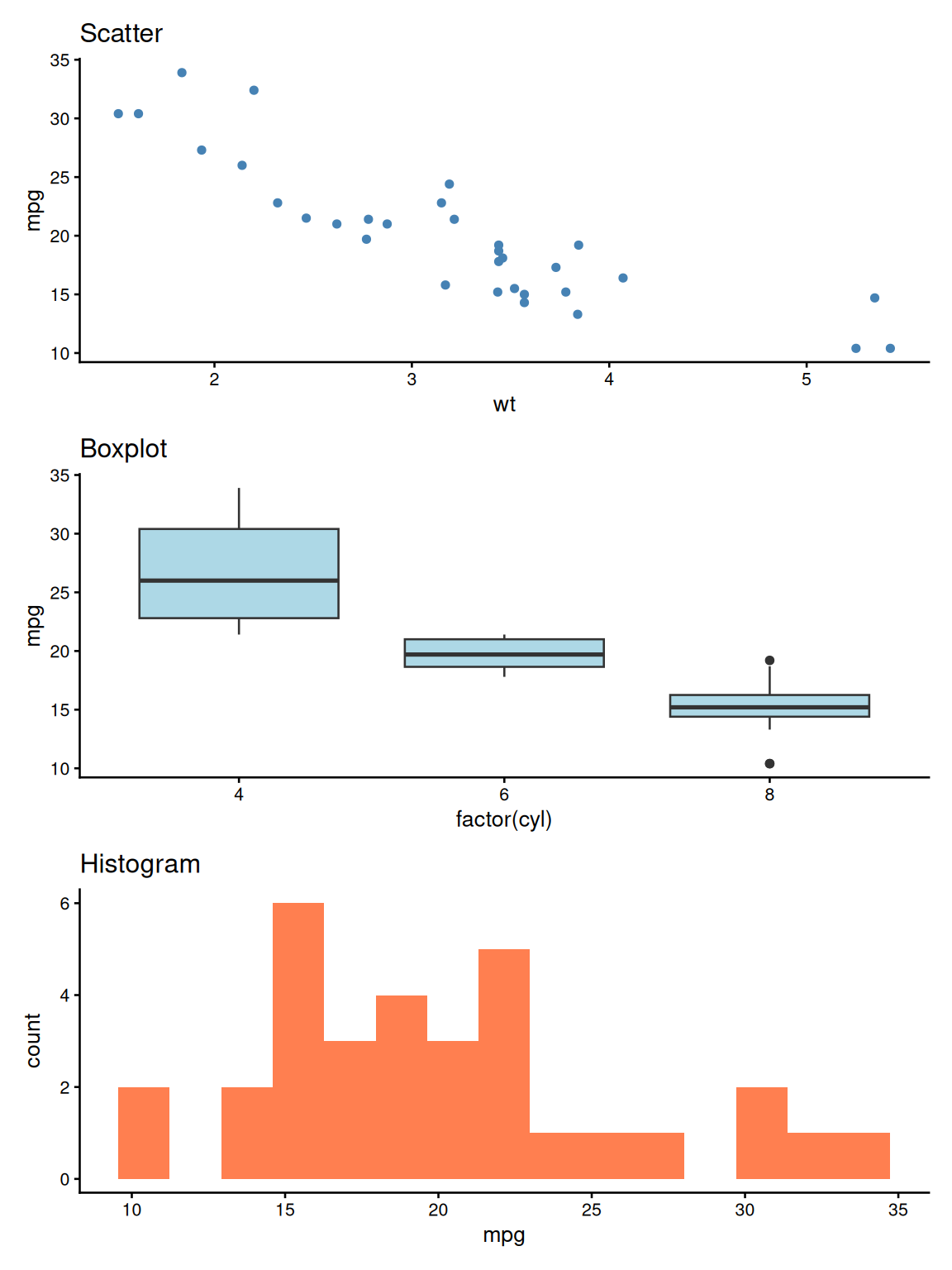
8.2 patchwork: Stacked Layout

p1 / p2 / p3

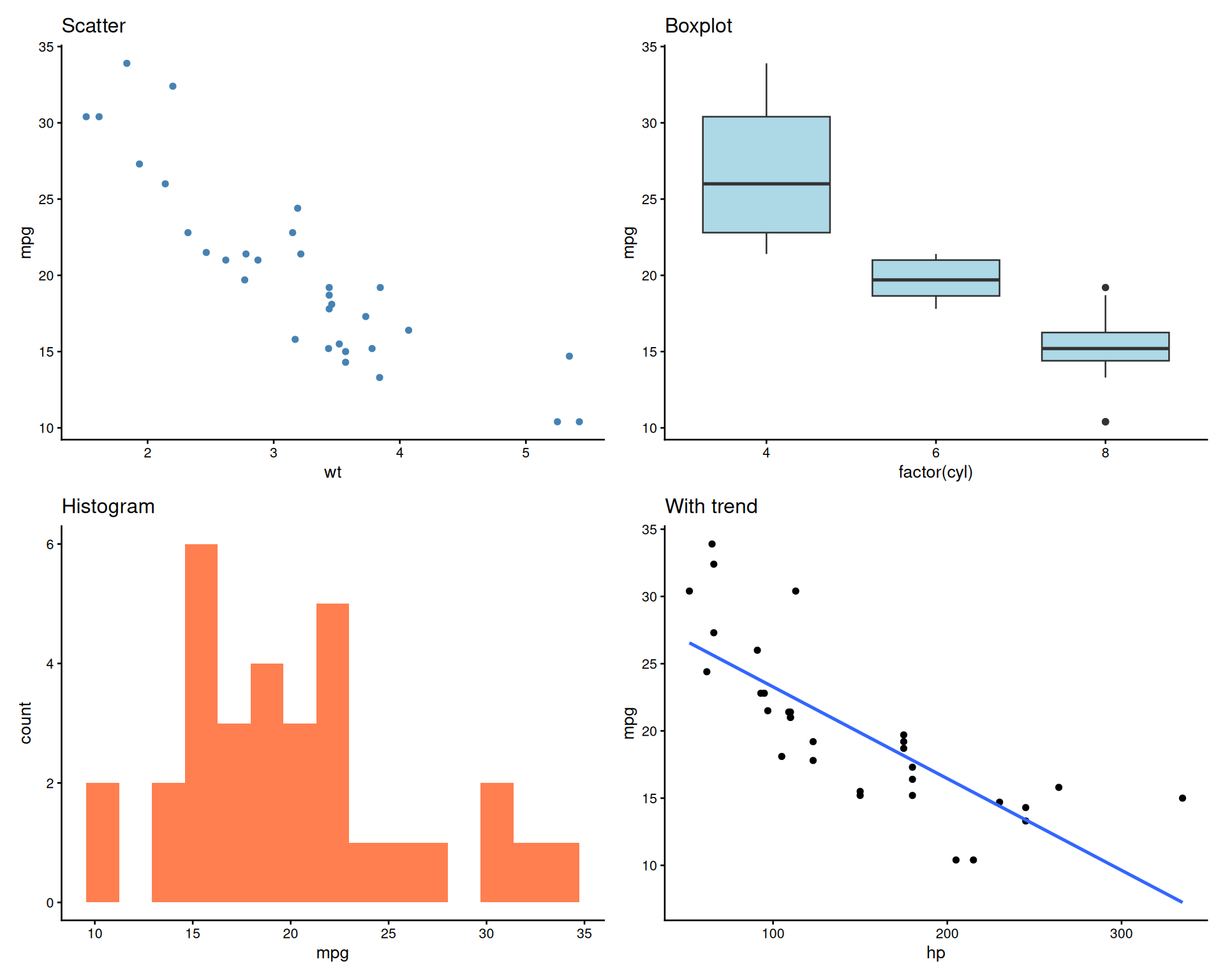
8.3 patchwork: Grid Layout

(p1 | p2) / (p3 | p4)
`geom_smooth()` using formula = 'y ~ x'

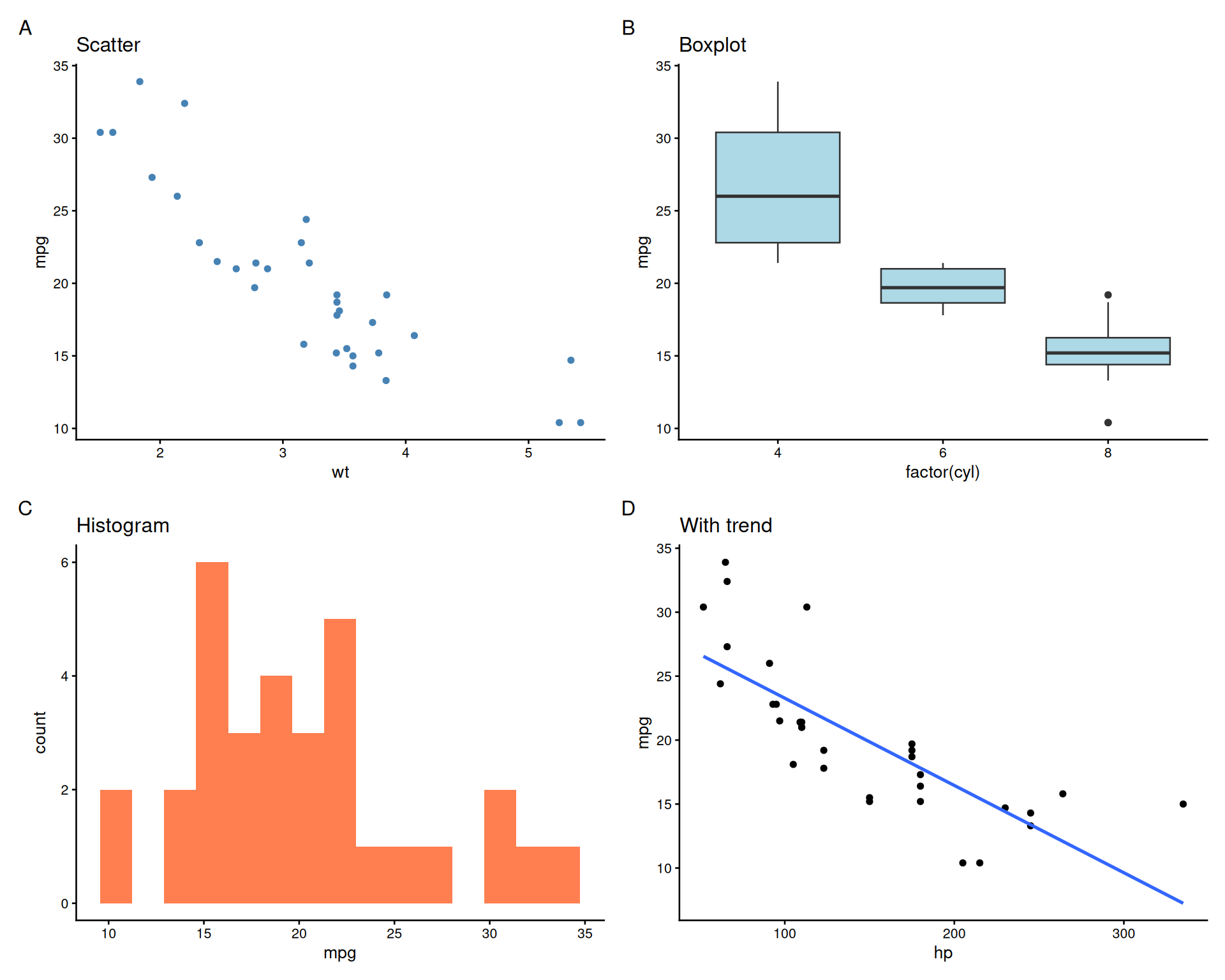
8.4 Adding Panel Labels (A, B, C…)

(p1 | p2) / (p3 | p4) +
  plot_annotation(tag_levels = 'A')
`geom_smooth()` using formula = 'y ~ x'
8.5 Customizing Panel Labels

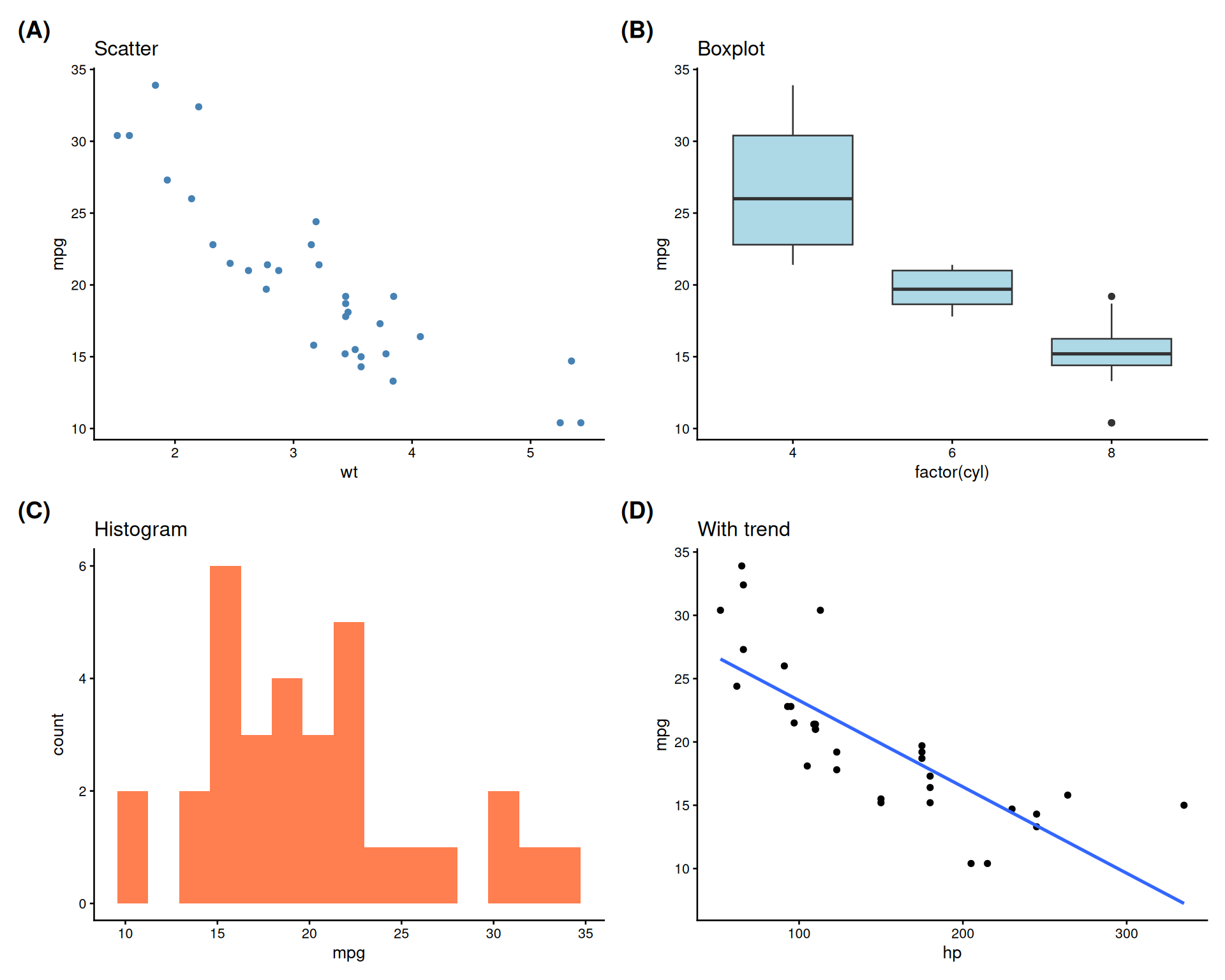
(p1 | p2) / (p3 | p4) +
  plot_annotation(
    tag_levels = 'A',
    tag_prefix = '(',
    tag_suffix = ')'
  ) &
  theme(plot.tag = element_text(face = 'bold', size = 14))
`geom_smooth()` using formula = 'y ~ x'
8.6 Unequal Panel Sizes

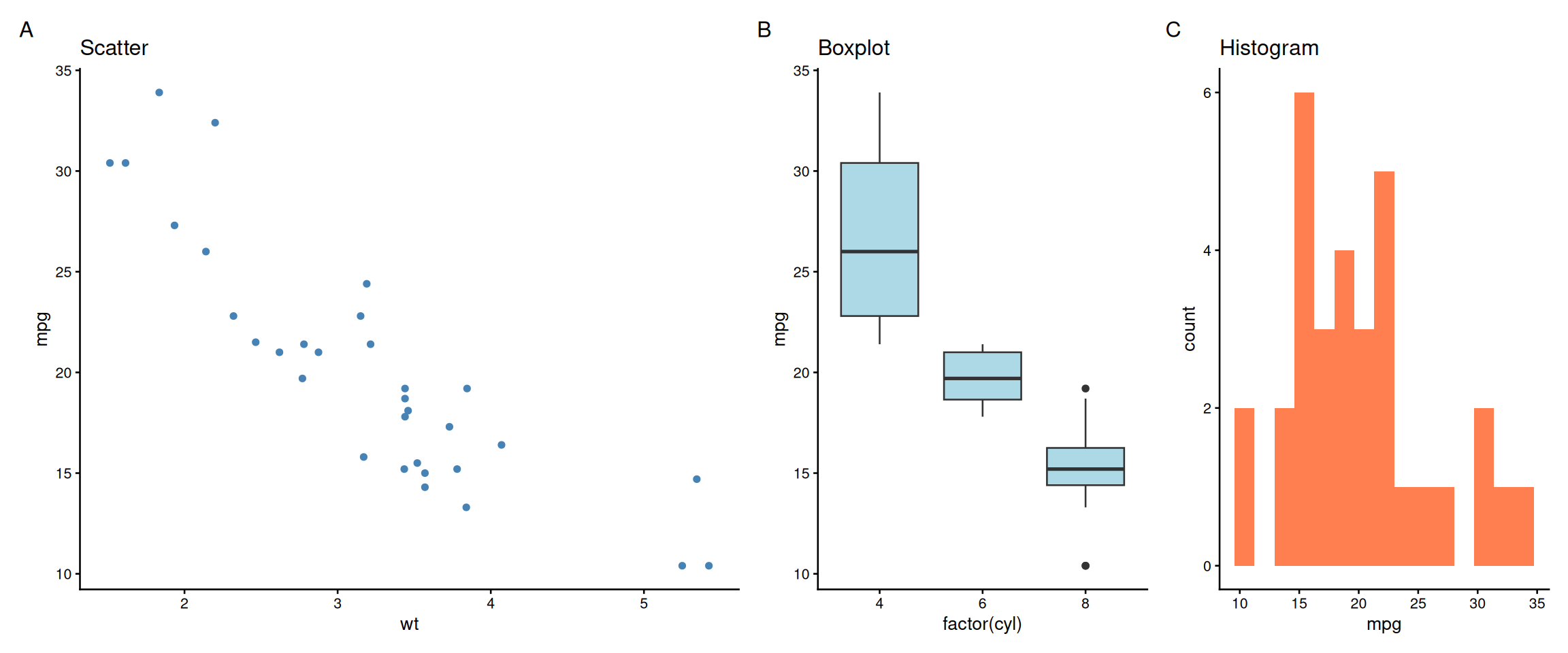
# First plot takes 2x width
p1 + p2 + p3 +
  plot_layout(widths = c(2, 1, 1)) +
  plot_annotation(tag_levels = 'A')
8.7 Nested Layouts

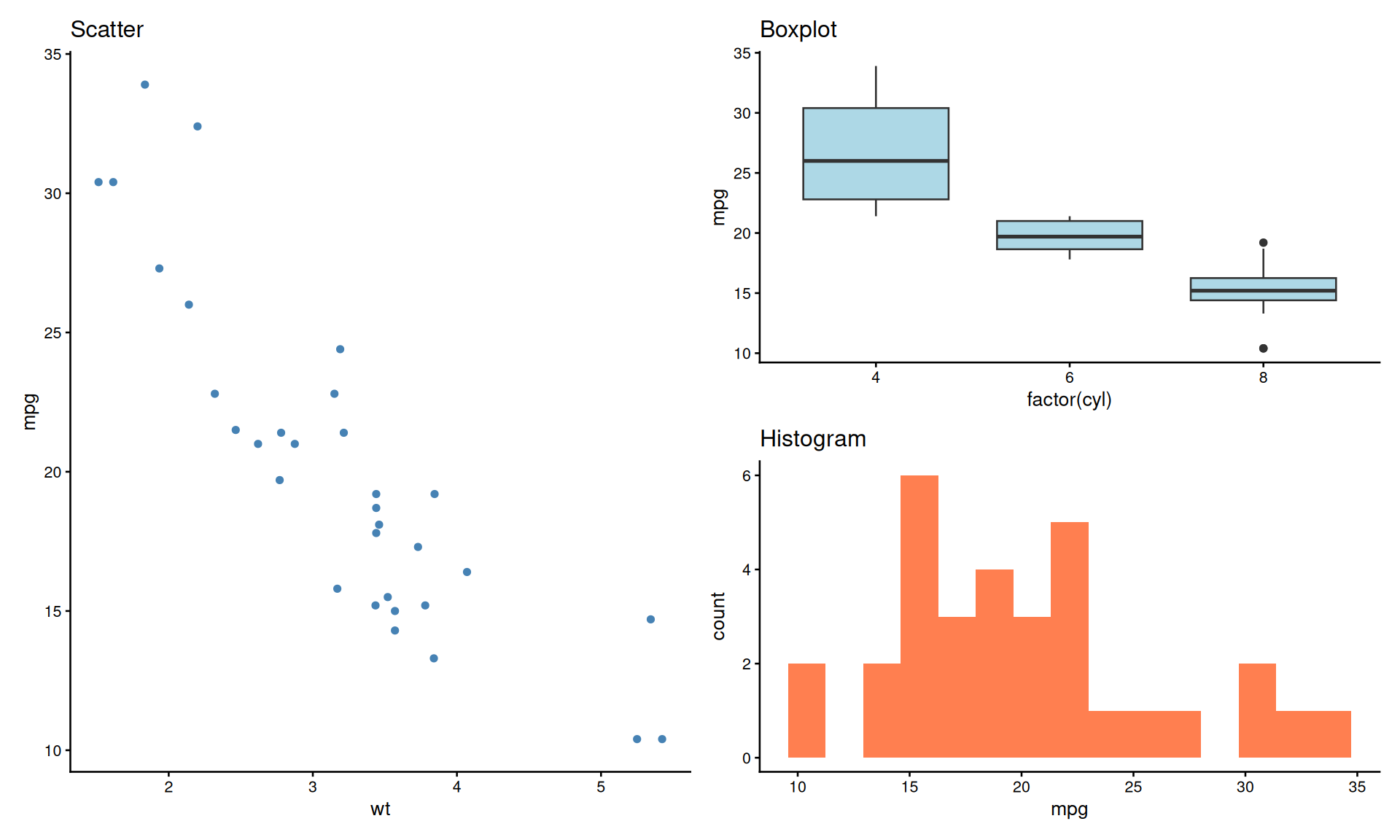
# Large plot on left, two stacked on right
p1 | (p2 / p3) +
  plot_annotation(tag_levels = 'A')
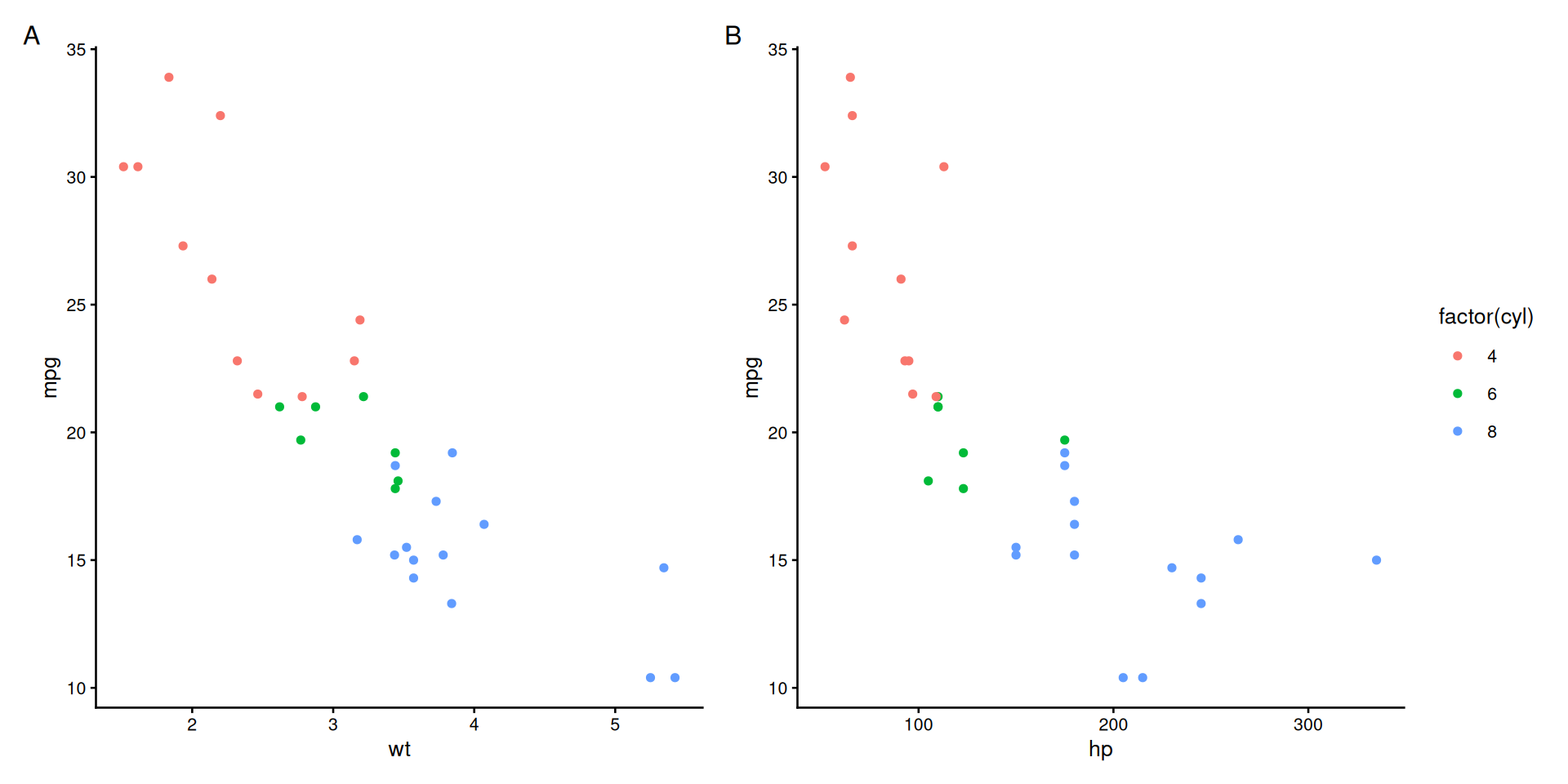
8.8 Shared Legends with plot_layout()

# Create plots with same color mapping
pa <- ggplot(mtcars, aes(wt, mpg, color = factor(cyl))) +
  geom_point() + theme_classic(base_size = 10)
pb <- ggplot(mtcars, aes(hp, mpg, color = factor(cyl))) +
  geom_point() + theme_classic(base_size = 10)

pa + pb +
  plot_layout(guides = 'collect') +
  plot_annotation(tag_levels = 'A')
8.9 Shared Axes with plot_layout()

# Share y-axes for side-by-side plots
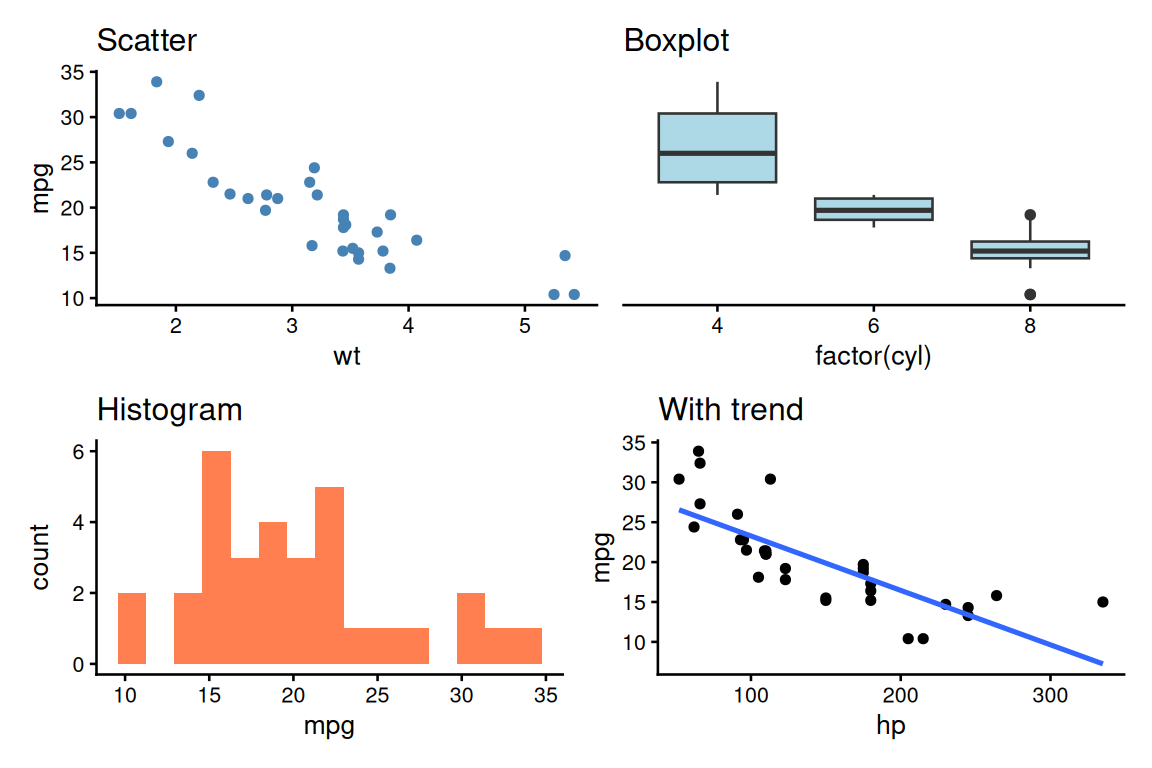
(p1 | p2) + plot_layout(axes = "collect_y")
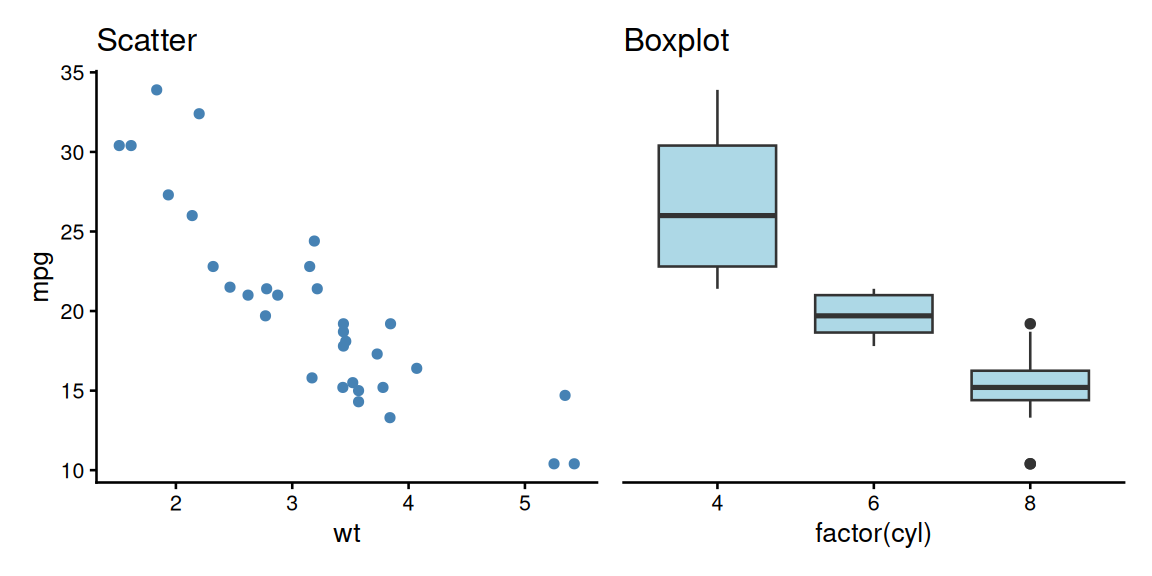
  • Default behavior: Each plot keeps its own axes
  • collect_x: Remove duplicate x-axes when plots are stacked vertically (same x-scale)
  • collect_y: Remove duplicate y-axes when plots are side-by-side (same y-scale)
  • collect: Remove both x and y axes (same scales in both directions)
  • Apply to groups where it makes sense before combining
# Complex: collect within groups first
((p1 | p2) + plot_layout(axes = "collect_y")) /
 (p3 | p4)
`geom_smooth()` using formula = 'y ~ x'

Benefits:

  • Cleaner appearance
  • Less redundant labels
  • Easier to compare across plots
  • Saves space

8.10 Saving patchwork Figures

# Create combined figure
combined <- (p1 | p2) / (p3 | p4) +
  plot_annotation(tag_levels = 'A')

# Save as vector (recommended)
ggsave("figure1.svg", combined, width = 10, height = 8)
ggsave("figure1.pdf", combined, width = 10, height = 8)

# Save as high-res raster if needed
ggsave("figure1.png", combined, width = 10, height = 8, dpi = 300)

8.11 patchwork vs Manual Editing: Decision Guide

patchwork (in R)

✅ Fully reproducible

✅ Easy to update

✅ Automatic alignment

✅ Consistent styling

✅ Version controlled

⚠️ Less layout flexibility


Use patchwork when:

  • All panels are ggplot2 objects
  • Need reproducible figures
  • Figures may need updates
  • Sharing code with collaborators

Inkscape (manual editing)

✅ Pixel-perfect control

✅ Mix with non-R content

✅ Complex annotations

❌ Not reproducible

❌ Manual re-editing

❌ Easy to break


Use Inkscape when:

  • Need pixel-perfect alignment
  • Adding photos, diagrams, or non-R content
  • Very complex custom layouts
  • Final publication polish only

8.12 Summary

Key Takeaways
  1. Prefer R code over manual editing - reproducibility trumps convenience
  2. Use R packages when possible:
    • patchwork or cowplot for combining plots
    • ggforce for annotations and custom shapes
    • grid for precise layout control
  3. Best vector editing tools:
    • Inkscape - free, cross-platform, excellent for scientific figures
    • Adobe Illustrator - industry standard (expensive)
    • Affinity Designer - affordable alternative to Illustrator
  4. Workflow for reproducibility:
    • Keep original R-generated plots
    • Save Inkscape/Illustrator files (.svg, .ai) as intermediate
    • Document manual edits in README
    • Export final PDF from vector editor
  5. Avoid common mistakes:
    • Don’t convert text to paths (loses editability)
    • Don’t rasterize vectors
    • Don’t use image editing tools (Photoshop) for vector graphics
  6. When to edit manually:
    • Combining plots with photographs/diagrams
    • Pixel-perfect alignment requirements
    • Adding custom illustrations
    • Journal-specific layout requirements

8.13 Exercises

Try It Yourself
  1. Install Inkscape (free) from https://inkscape.org
  2. Create two plots in R and save as PDFs
  3. Open both in Inkscape and arrange them side-by-side
  4. Add panel labels (A, B) using text tool
  5. Export as final PDF
  6. Compare this to using patchwork in R - which was easier?
  7. Practice editing text in an SVG without converting to paths

8.14 Further Reading